Mobile Worker Debit Card Instructions
How to Set Up Your Account Now Card (Step by Step)
Step 1: Fill out the information to get your Debit Card on this Sign-Up Page
Link: https://goldvisa.accountnow.com/secure/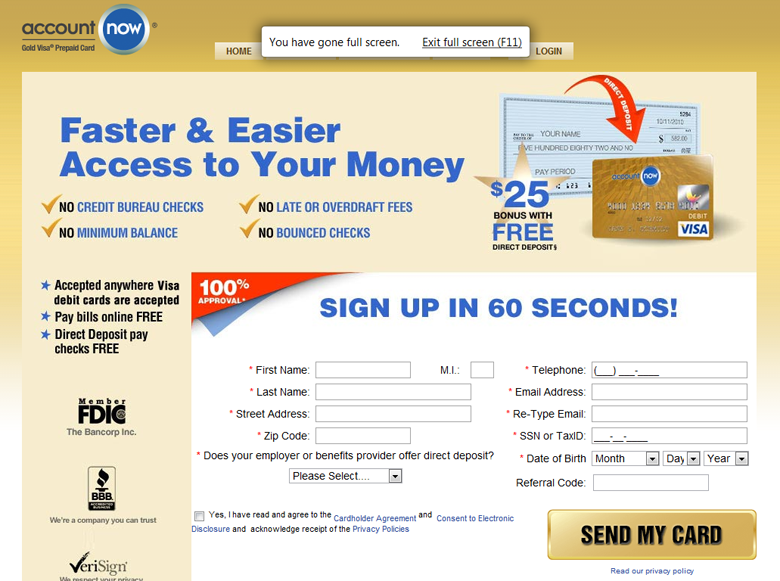
Once you have filled in the information on all of your fields…click Send My Card
Step 2: You will be asked how you would like to have the Direct Deposit Sheet sent to you (Print or Email) Choose Email
Step 3: Two emails will be sent to you…the first is a Welcome notification…(see below)

Step 4: Direct Deposit Email providing you with the form…follow the prompt and Print my Direct Deposit Form…
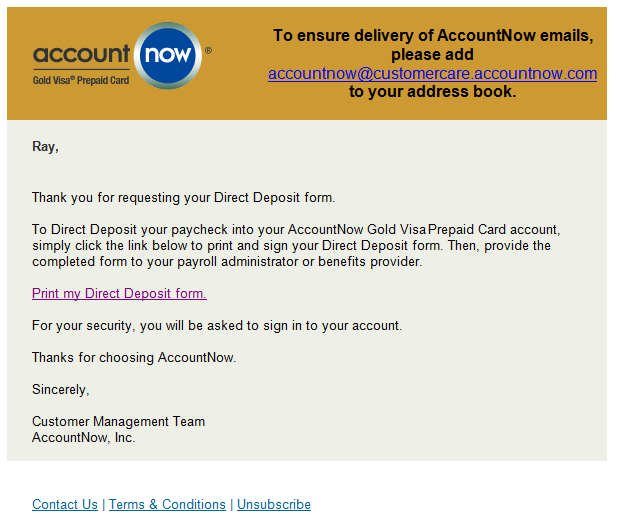
Step 5: When you click Print Deposit Form you will see this form appearing on your computer…